This document introduces how to configure EdgeOne client attestation rules to determine when to trigger attestation (challenge) for clients. Attestation rules match request features and sort by set priorities. When a request meets the rule conditions, the associated attestation method is executed. This document explains the matching mechanism, priority design, and meaning of each field.
Note:
Client attestation rules do not support attestation methods or API resources configured in other sites.
Client attestation is not currently supported in cross-site deployment policy templates.
Example Scenario
Perform security authentication for clients that access the order placement API /api/order.json of the online retail site www.examplestore.com. When H5 clients and iOS and Android mobile clients access the order placement API, they must first pass EdgeOne Human Verification and silently handle high-risk client access.
User Guide
Note:
1. Before using the EdgeOne Human Verification option, create the custom attestation method in Configure Attestation Method.
2. To automatically deploy the SDK for browser or WebView clients, please first complete the browser and WebView integration step and perform testing and verification.
1. Log in to the EdgeOne console, go to Service Overview in the left menu bar, and click the Website Security Acceleration site that needs to be configured.
2. Click Security Protection > Web Protection. By default, it is the site-level protection strategy. Click the domain-level protection strategy Tab, then click the target domain name in the domain-level security policy to enter the target domain name protection policy configuration interface, such as www.examplestore.com.
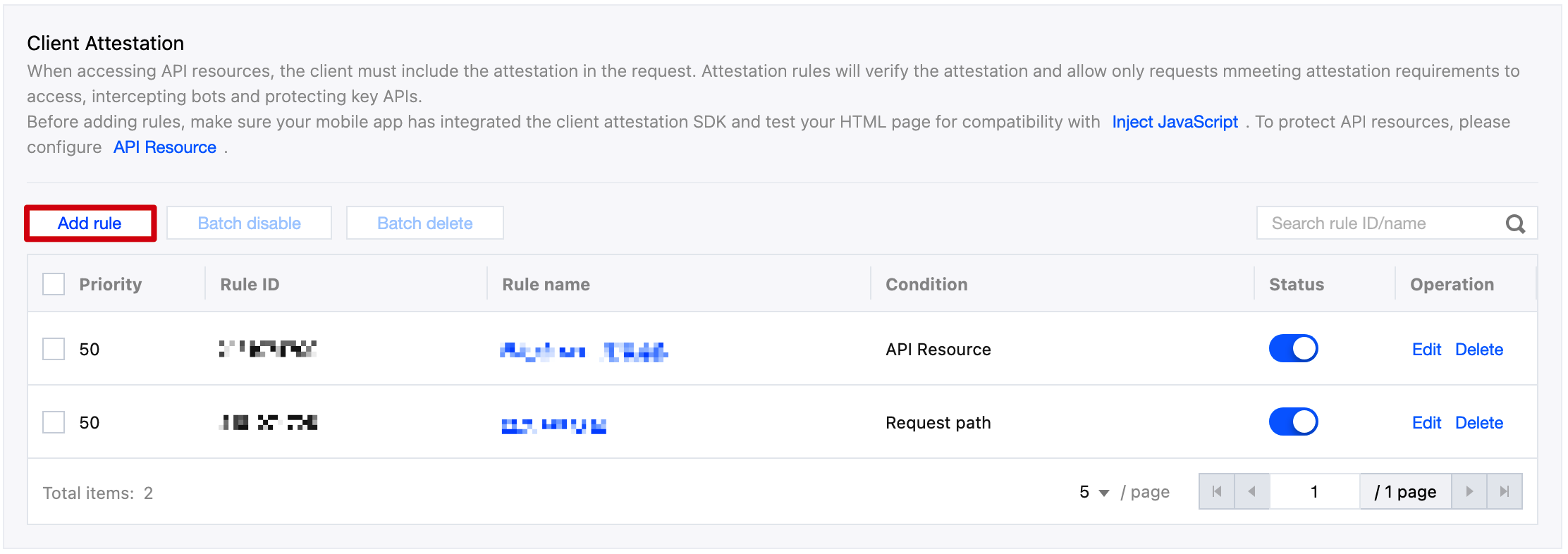
3. Locate the Bot Management card, click Client Attestation below Add Rule, and proceed to the configuration page.
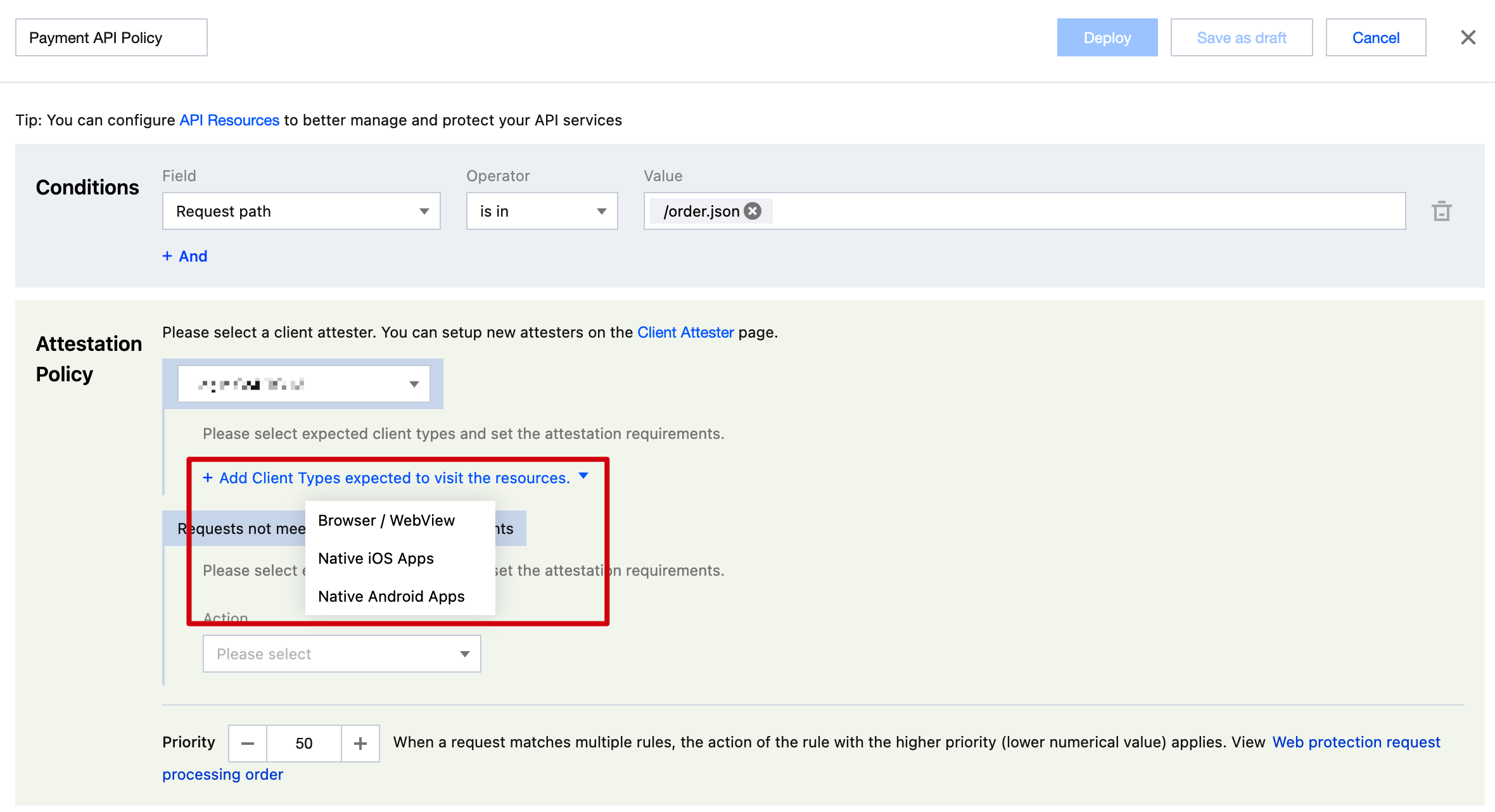
4. Enter the rule name and configure match conditions, attestation methods, and disposal options for different risk clients. For example, in the match condition option, select request path matching. In the attestation policy option, select the custom attestation option whose provider is EdgeOne Human Verification.
5. In the attestation policy, add client allowed for access types in sequence.
Client Authentication: Add client allowed for access types
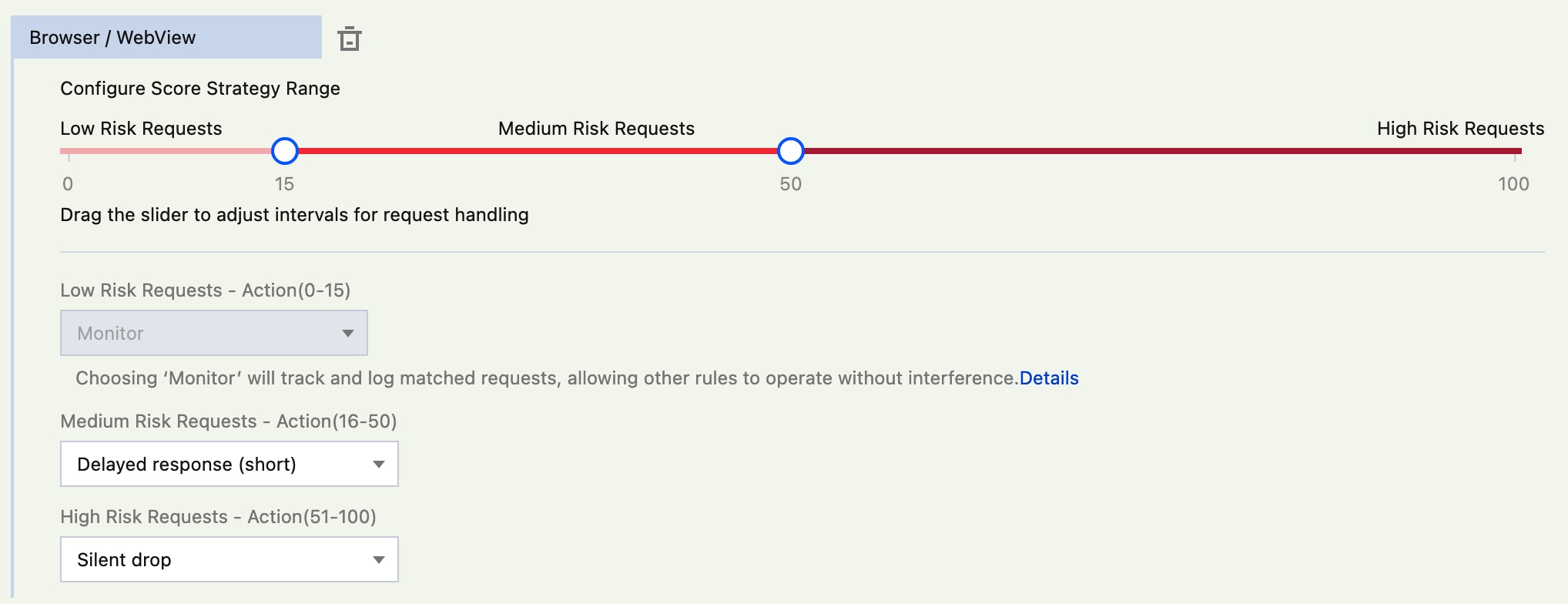
For each client allowed for access, configure disposal options for risk requests.
Client Authentication: Configure disposal options for risk requests (for example, browser/WebView)
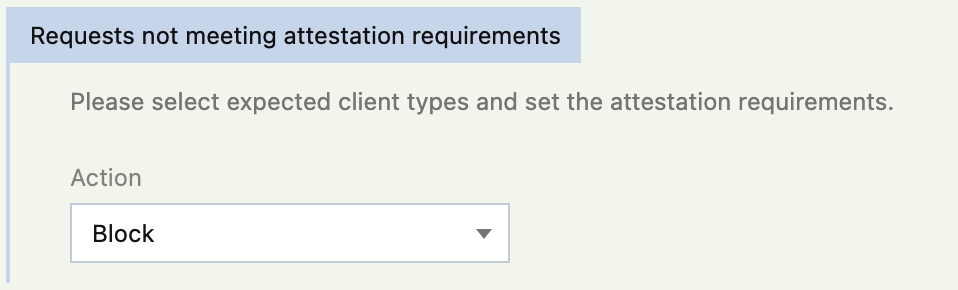
Configure disposal options for requests that do not meet attestation requirements.
6. Click Save and Publish. The rules will deploy.
Related Reference
Client Attestation Rule Description
EdgeOne's client attestation rules are configured in the Web protection under the Bot management module. Each rule includes the following parts:
Match condition: effective scope of the attestation rule.
Match conditions include fields in the request URL and request header, such as Host, URL, Path, and specified request headers. They can also refer to API resources as match conditions.
A rule can have one or more match conditions and takes effect only when all conditions are met.
Attestation method: the method that must be included in the valid credentials provided by the client.
For client requests that have integrated the required SDK for attestation but not in time, the system will respond with HTTP 428, requiring the client to provide additional credentials. For details, see HTTP 428 challenge handling process.
For requests that already have credentials for this attestation method but the credentials have expired, the system will respond with HTTP 428, requiring the client to provide additional credentials. For details, see HTTP 428 challenge handling process.
Requests that fail to provide valid credentials for this attestation method will be handled as failing to satisfy attestation requirements.
Device attestation policy: Configure attestation requirements and handling methods for different types of client requests.
Device type: Available options include browser/WebView, iOS, and Android client. After client integration is completed, the attestation SDK will carry the authenticated client type in the credentials. Rules will adopt the corresponding device attestation policy based on this identification.
Request risk score: Perform risk scoring based on the result details provided by the attestation party. It can classify requests into high-risk, medium-risk, or low-risk requests based on the configured score segment and handle them accordingly. If the attestation party supports scoring, the scoring result will be used directly.
Description: The score ranges from 0 to 100. 0 means the attestation method did not indicate risk, and 100 means the verification result clearly notifies a high-risk request.
Handling method: Available options include multiple disposal methods such as block and silence. For low-risk requests, it only supports using the observation option (only record logs, no processing). Requests using the observation handling method will continue matching other client attestation rules.
Handling request when failing to satisfy attestation requirements: Use the specified method to handle requests when the client SDK is not integrated or the provided credentials are invalid.
Priority: First match rules with a relatively high priority (smaller priority value). If the rule is not blocked or challenged, continue matching other rules.