
边缘开发者平台
  • 边缘函数
    • 概述
    • 快速指引
    • 操作指引
      • 函数管理
      • Web调试
      • 触发配置
      • 环境变量
      • Code Replica
    • Runtime APIs
      • addEventListener
      • Cache
      • Cookies
      • Encoding
      • Fetch
      • FetchEvent
      • Headers
      • Request
      • Response
      • Streams
        • ReadableStream
        • ReadableStreamBYOBReader
        • ReadableStreamDefaultReader
        • TransformStream
        • WritableStream
        • WritableStreamDefaultWriter
      • Web Crypto
      • Web standards
      • Images
        • ImageProperties
    • 示例函数
      • 示例概述
      • 获取客户端URL信息
      • 基于客户端地理位置的自定义
      • 获取客户端地理位置信息
      • 批量重定向
      • URL rewrite based on regular expressions
      • 返回 HTML 页面
      • 返回 JSON
      • Fetch 远程资源
      • 请求头鉴权
      • 修改响应头
      • AB 测试
      • 设置 Cookie
      • 基于请求区域重定向
      • Cache API 使用
      • 缓存 POST 请求
      • 流式响应
      • 合并资源流式响应
      • 防篡改校验
      • m3u8 改写与鉴权
      • 图片自适应缩放
      • 图片自适应 WebP
      • 自定义 Referer 限制规则
      • 远程鉴权
      • HMAC 数字签名
      • 自定义下载文件名
      • 获取客户端 IP
      • Complex origin-pull URL rewriting
      • Web Bot Auth
    • 最佳实践
      • Overview
      • Origin retrieval based on user IP/geographic location
        • EdgeOne Implementation of Session Persistence Based on Client IP Addresses
        • EdgeOne Implementation of Origin-Pull Based on Client's Geo Location
      • APK dynamic packaging
        • EdgeOne enables dynamic packaging of Android APKs.
          • Feature Overview
          • Step 1: Preprocess the Android APK Parent Package
          • Step 2: Write the Channel Information into the APK Package with EdgeOne Edge Functions
      • Canary Release and Region-specific Execution
      • 通过边缘函数实现自适应图片格式转换
      • Two Ways to Implement CDN Origin-pull Via Edge Function: Fetch and Passthrough
  • KV Storage
    • Overview
    • Operation Guide
  • Edge reasoning
    • Edge Inference Overview
    • Quick Guide

Complex origin-pull URL rewriting

在某些业务场景下,需要对客户端请求的 URL 进行修改后再回源。本示例通过边缘函数实现了两种复杂 URL 重写场景:
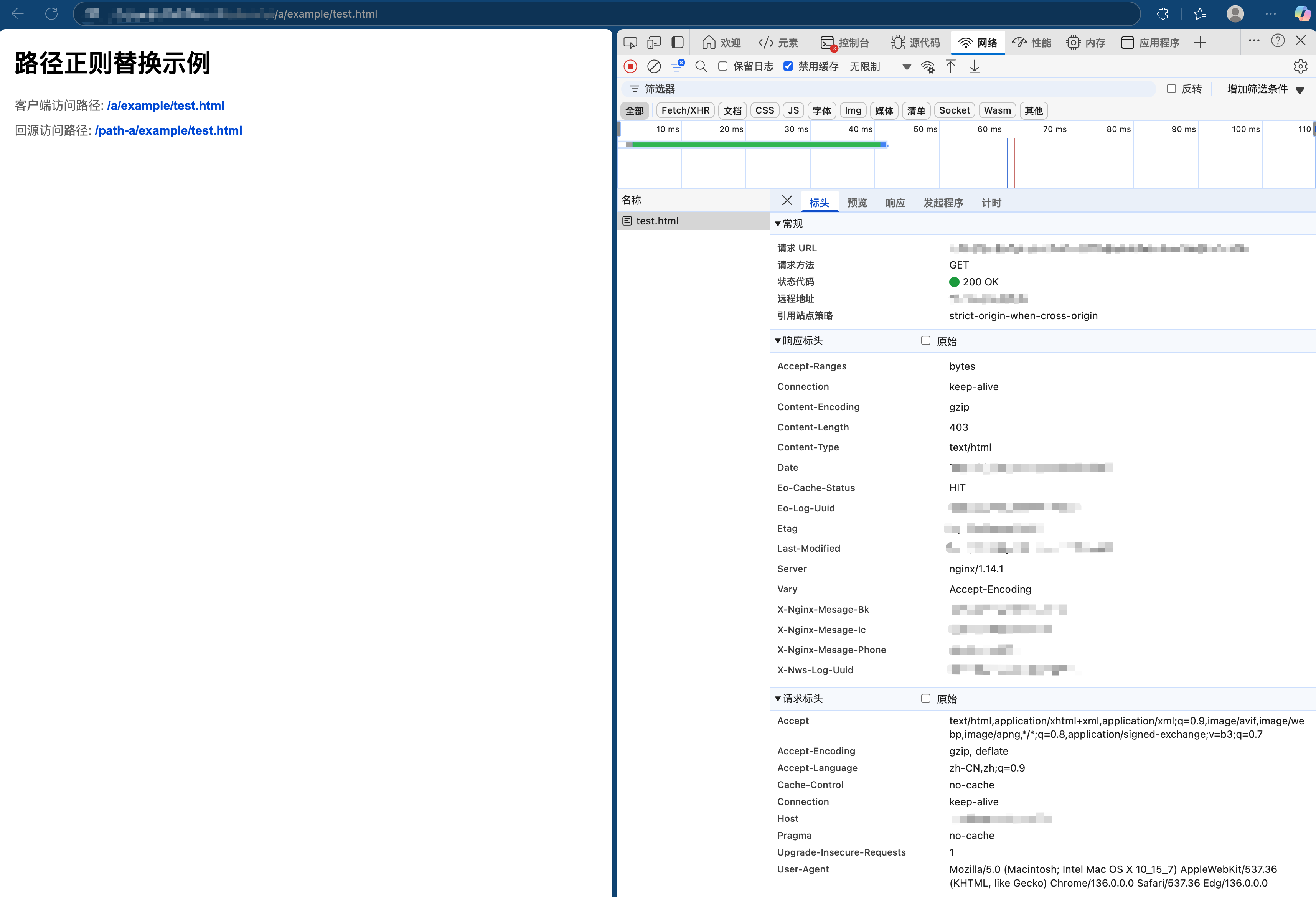
1. 路径正则替换:使用正则表达式捕获组进行路径替换,将 /a 开头的路径替换为 /path-a,同时保留后续路径结构。通过路径正则替换可以将旧路径无缝映射到新路径,例如在内容管理系统改版时资源目录结构可能发生变化,使用正则捕获组可以保留原始路径中的关键部分并确保内容持续可访问,同时适应新的目录结构。
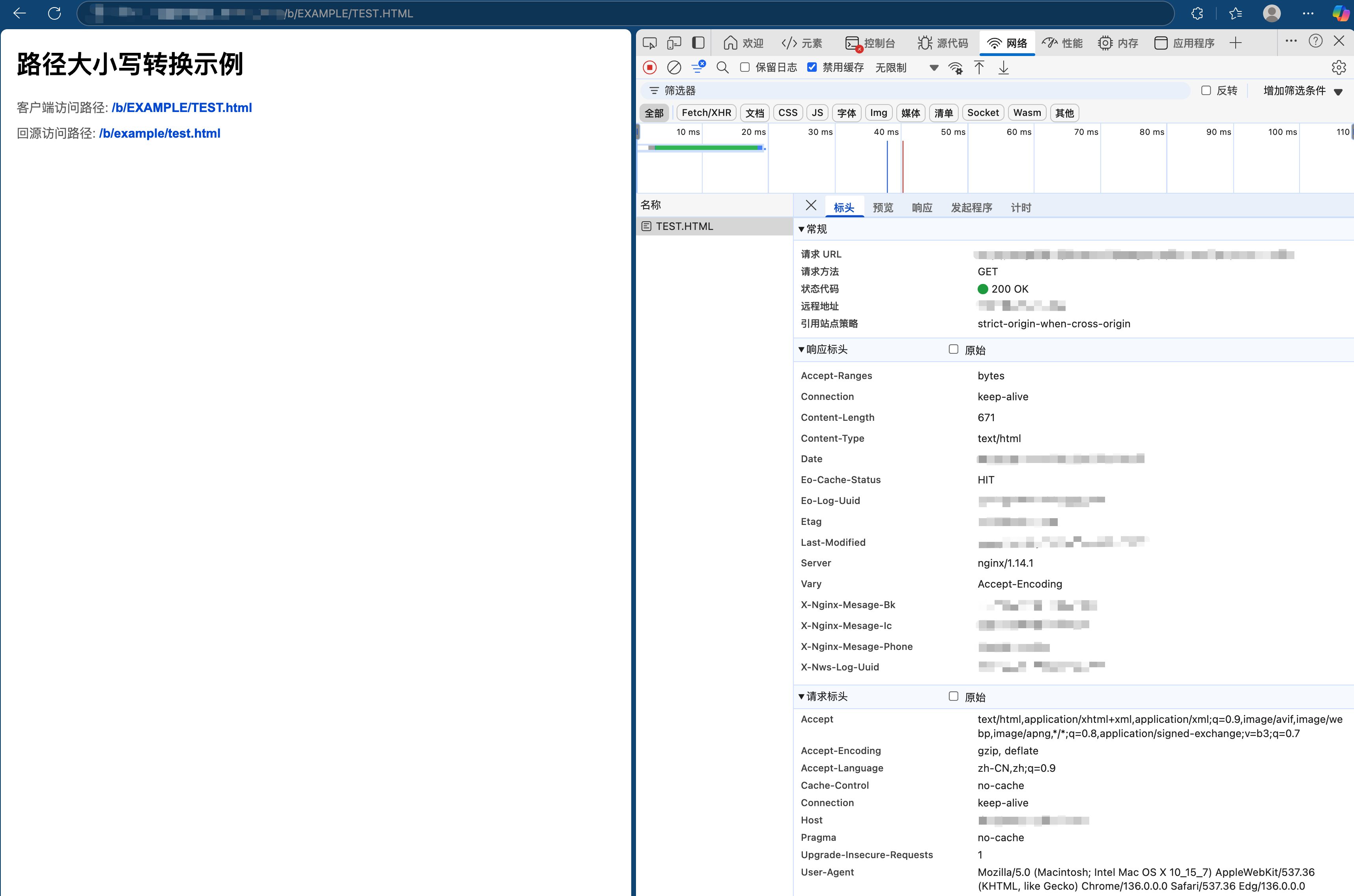
2. 路径大小写转换:将整个路径转换为小写,符合 Web 标准最佳实践。例如对于使用对象存储服务(如腾讯云对象存储)作为源站的网站,由于对象存储通常区分大小写,统一转换可以简化资源管理并避免因大小写错误导致的资源访问失败。

示例代码

async function handleEvent(event) {
try {
const request = event.request;
const url = new URL(request.url);
let pathname = url.pathname;

// 使用正则表达式进行路径替换,将 /a 或 /a/xxx 替换为 /path-a 或 /path-a/xxx
if (pathname.startsWith('/a')) {
const aPathRegex = /^\/a(\/.*)?$/;
pathname = pathname.replace(aPathRegex, '/path-a$1');
}

// 路径大小写转换,直接将整个路径转换为小写
if (pathname.startsWith('/b')) {
pathname = pathname.toLowerCase();
}

url.pathname = pathname;

// 创建新的请求
const newRequest = new Request(url.toString(), {
method: request.method,
headers: request.headers,
body: request.body,
redirect: 'manual'
});

const response = await fetch(newRequest);
return event.respondWith(response);
} catch (err) {
console.log(err);
}
}

addEventListener('fetch', event => {
handleEvent(event);
});

示例预览

在浏览器地址栏中输入匹配到边缘函数触发规则的 URL,即可预览到示例效果。
路径正则替换:将 /a 开头的路径替换为 /path-a,同时保留后续路径结构。


路径大小写转换:将整个路径转换为小写。


相关参考