Edge Developer Platform
  • Edge Functions
    • Overview
    • Getting Started
    • Operation Guide
      • Function Management
      • Web Debugging
      • Function Trigger
      • Environment Variable
      • Code Replica
    • Runtime APIs
      • addEventListener
      • Cache
      • Cookies
      • Encoding
      • Fetch
      • FetchEvent
      • Headers
      • Request
      • Response
      • Streams
        • ReadableStream
        • ReadableStreamBYOBReader
        • ReadableStreamDefaultReader
        • TransformStream
        • WritableStream
        • WritableStreamDefaultWriter
      • Web Crypto
      • Web standards
      • Images
        • ImageProperties
    • Sample Functions
      • Example Overview
      • Obtaining Client URL Information
      • Customization Based on Client Geo Location
      • Obtaining Client Geo Location Information
      • Batch Redirect
      • URL rewrite based on regular expressions
      • Returning an HTML Page
      • Returning a JSON Object
      • Fetch Remote Resources
      • Authenticating a Request Header
      • Modifying a Response Header
      • Performing an A/B Test
      • Setting Cookies
      • Performing Redirect Based on the Request Location
      • Using the Cache API
      • Caching POST Requests
      • Responding in Streaming Mode
      • Merging Resources and Responding in Streaming Mode
      • Protecting Data from Tampering
      • Rewriting a m3u8 File and Configuring Authentication
      • Adaptive Image Resize
      • Image Adaptive WebP
      • Customize Referer restriction rules
      • Remote Authentication
      • HMAC Digital Signature
      • Naming a Downloaded File
      • Obtaining Client IP Address
      • Complex origin-pull URL rewriting
      • Web Bot Auth
    • Practical Tutorial
      • Overview
      • Origin retrieval based on user IP/geographic location
        • EdgeOne Implementation of Session Persistence Based on Client IP Addresses
        • EdgeOne Implementation of Origin-Pull Based on Client's Geo Location
      • APK dynamic packaging
        • EdgeOne enables dynamic packaging of Android APKs.
          • Feature Overview
          • Step 1: Preprocess the Android APK Parent Package
          • Step 2: Write the Channel Information into the APK Package with EdgeOne Edge Functions
      • Canary Release and Region-specific Execution
      • Adaptive Image Format Conversion via Edge Functions
      • Two Ways to Implement CDN Origin-pull Via Edge Function: Fetch and Passthrough
  • KV Storage
    • Overview
    • Operation Guide
  • Edge reasoning
    • Edge Inference Overview
    • Quick Guide

URL rewrite based on regular expressions

This example captures incoming HTTP requests, matches them using regular expressions according to the URL path, and implements URL rewriting to access the index.html page when specific content is matched. It is applicable for any request under the specified directory to be uniformly rewritten to access the homepage (usually index.html), allowing different page requests to be handled through front-end routing.

Sample code

async function handleEvent(event) {
const { request } = event;
const urlInfo = new URL(request.url);
// Regular expression matches /test/ followed by 1 or 2 path segments that are not slashes
const regexp = /^\/test\/([^\/]+)(?:\/([^\/]+))?\/?$/;
// Check if the path matches the regular expression
if (regexp.test(urlInfo.pathname)) {
const matches = urlInfo.pathname.match(regexp);
let newPathname = '/test/';
// Construct a new pathname, which may be one or two according to the number of matched path segments
newPathname += matches[1]; // The first path segment
if (matches[2]) {
newPathname += '/' + matches[2]; // The second path segment, if any
}
// Ensure it ends with index.html
newPathname += '/index.html';
// Update the pathname of URLInfo
urlInfo.pathname = newPathname;
}
// Make a request using the updated URLInfo
const response = await fetch(urlInfo.toString(), {
method: request.method,
headers: request.headers,
redirect: 'manual',
body: request.body,
});
// return the response to the event
return event.respondWith(response);
}

// call the handleEvent function for each fetch event
addEventListener('fetch', (event) => {
handleEvent(event);
});

Sample Preview

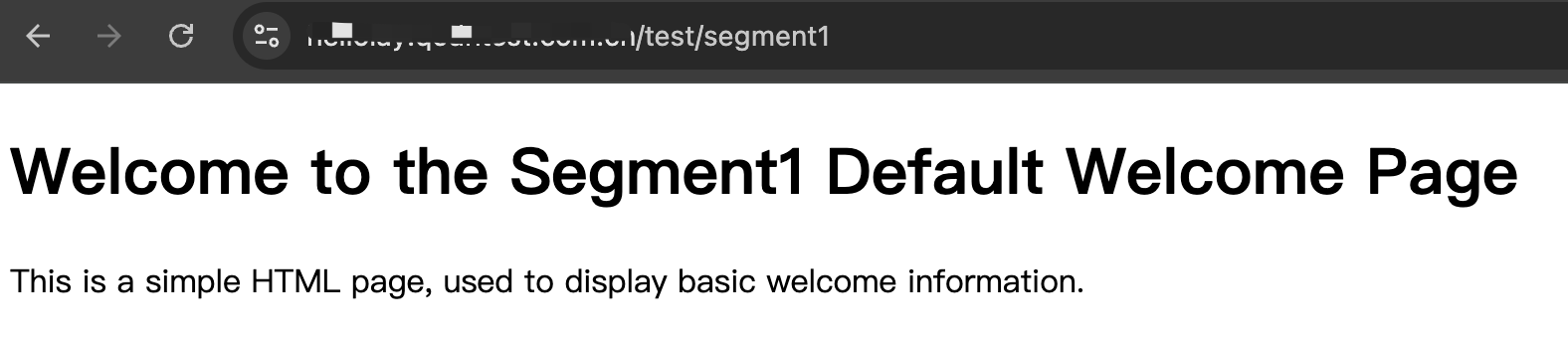
1. Enter the URL matching the edge function trigger rules in the browser address bar, carry /test/segment1 in the path to achieve dynamic rewriting access https://www.example.com/test/segment1/index.html


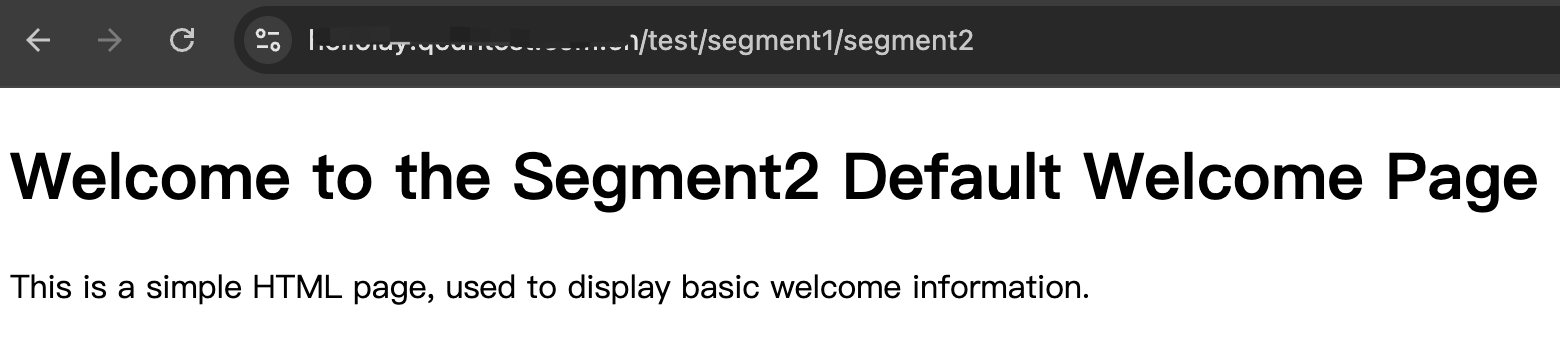
2. Enter the URL matching the edge function trigger rules in the browser address bar, carry /test/segment1/segment2 in the path to achieve dynamic rewriting access https://www.example.com/test/segment1/segment2/index.html


3. Enter the URL matching the edge function trigger rules in the browser address bar, carry non-regular matching content in the path, such as: /test/test1



Related References