Quickly roll back to a previous version
This article will show you how to quickly roll back to a previous version.
Note:
This feature only supports sites linked to Standard and Enterprise Edition packages.
Overview
Suppose you encounter some unknown issues after releasing Version 1 in the production environment, you need to quickly roll back to the previous stable version, Version 0.
Operation Steps
1. Log in to the Tencent Cloud EdgeOne console, enter Service Overview in the left menu bar, and click the site to be configured under Website Security Acceleration.
2. On the site details page, click Version Management in the left navigation.
3. On the production environment page, click View All Version History.

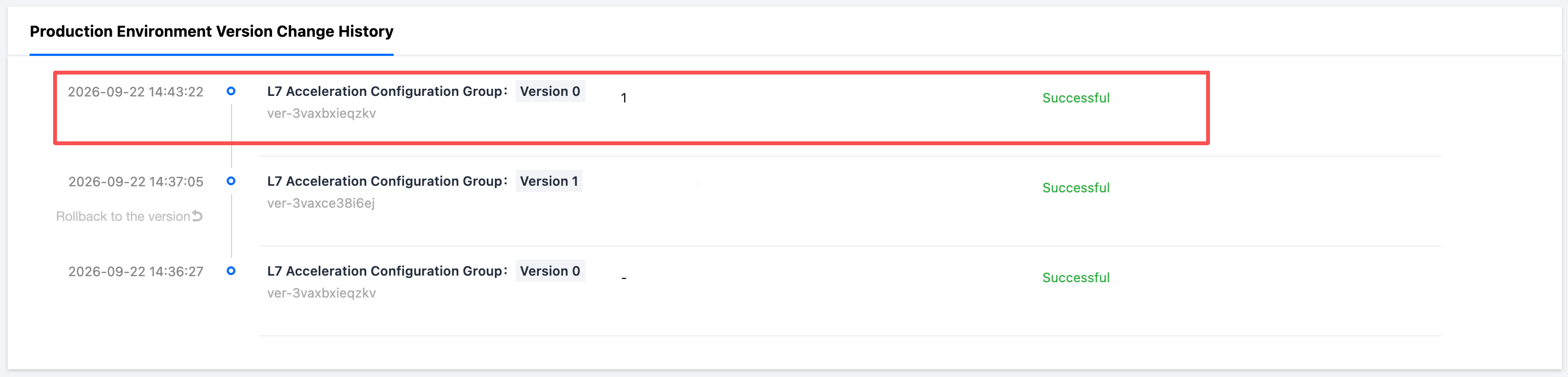
4. On the production environment version change history page, locate the release record for Version 0 and click Roll Back to This Node.

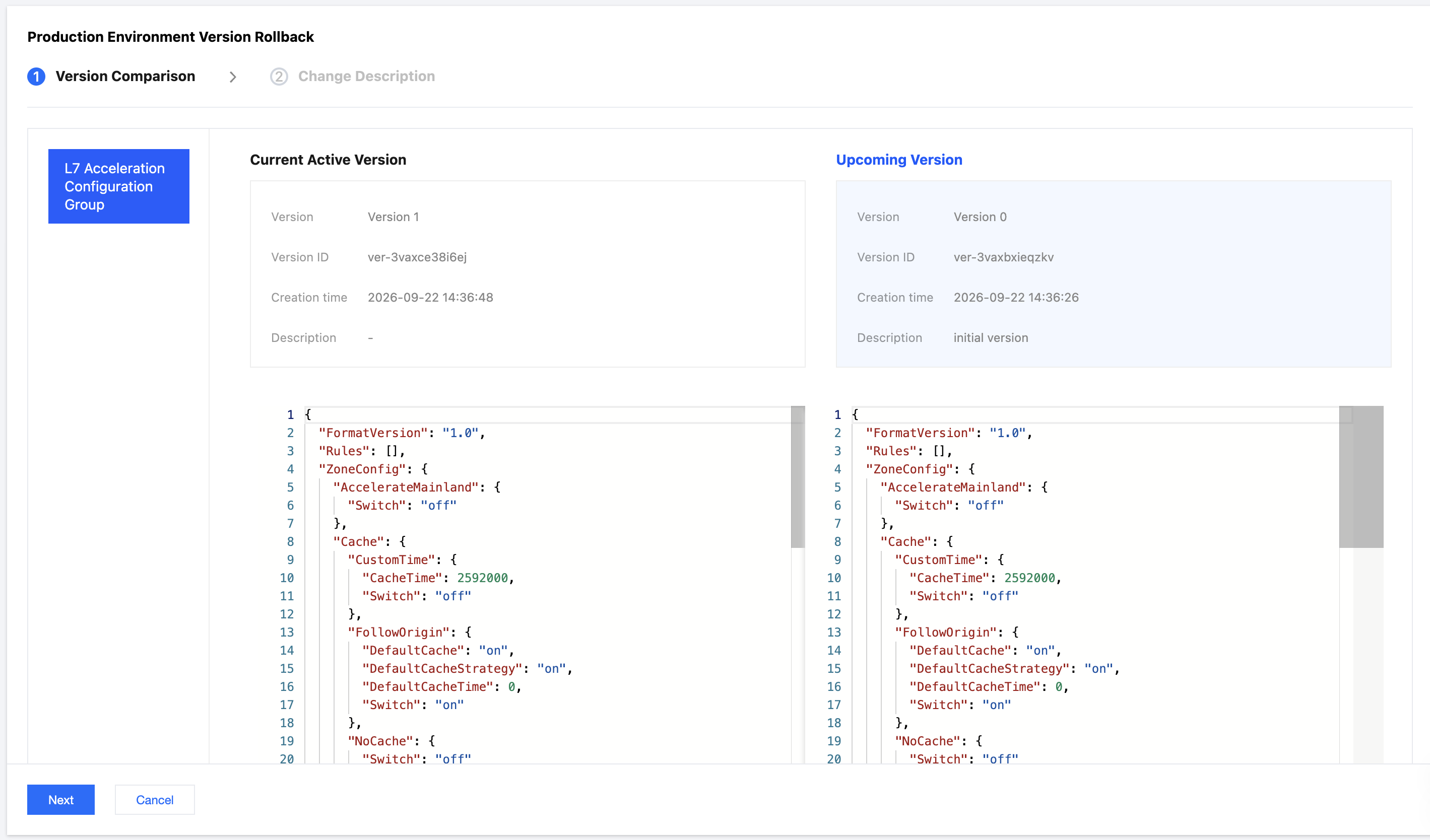
5. You can view the differences between the current version and the version to be rolled back on the version comparison page to confirm whether the changed configuration meets your expectations. After confirmation, click Next.
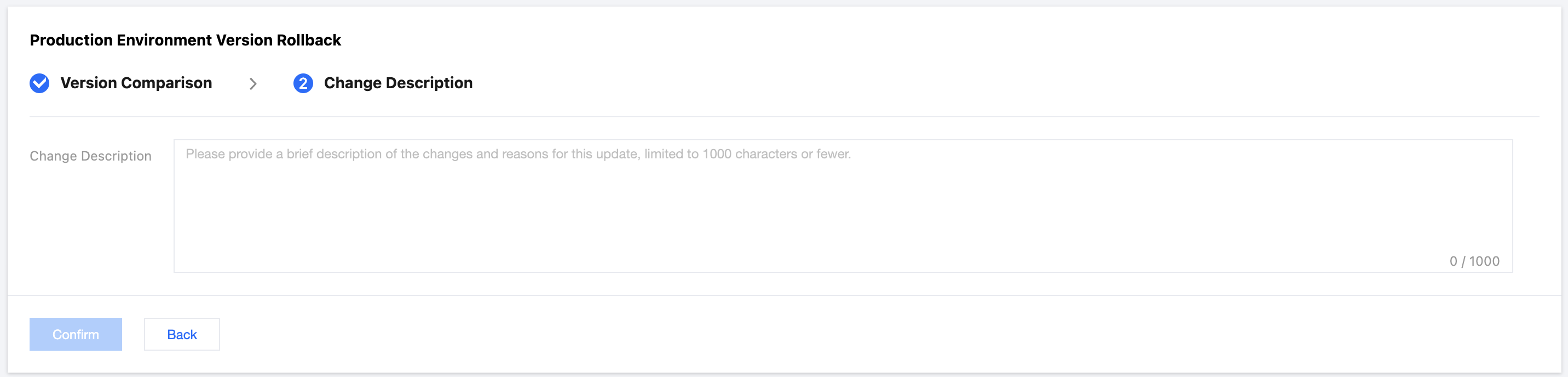
6. You need to enter a change description, limited to 1,000 characters. After completing the description, click Confirm Rollback.
7. A rollback is equivalent to quickly republishing the original version. A new release record is generated in the environment change history. A successful release indicates that the configuration has been rolled back to Version 0.