Edge Security
  • DDoS and Web Protection
    • Overview
    • DDoS Protection
      • DDoS Protection Overview
      • Exclusive DDoS Protection Usage
      • Configuration of Exclusive DDoS protection Rules
        • Increase DDoS Protection Level
        • Configuration IP blocklist/allowlist
        • Configuration Region Blocking Rule
        • Configuration Port Filtering
        • Configuration Features Filtering
        • Configuration Protocol Blocking Rule
        • Configuration Connections Attack Protection
        • Exclusive DDoS Traffic Alarm
        • Related References
          • DDoS Protection Processing Order
          • Action
          • Related Concepts Introduction
      • Related References
        • DDoS Protection Console Update (2026-01-12)
    • Web Protection
      • Overview
      • Configuring Web Protection Policy
      • Custom rule
      • Rate Limiting
        • Bandwidth Abuse Protection
        • CC attack defense
        • Custom Rate Limiting Rules
      • Hosting Rules
        • Managed rules
        • High-Frequency Scan Protection
      • Exception Rules
      • Managed Custom Rules
      • Web security monitoring alarm
      • Related References
        • Web Protection Request Processing Order
        • Action
        • Match Condition
    • Bot Management
      • Overview
      • AI Crawler Control
      • Bot Intelligent analysis
      • Bot Basic Feature Management
      • Client Reputation
      • Active Detection
      • Custom Bot Rule
      • Client authentication (Beta)
        • Overview
        • Attestation Flow
        • Integration Guidelines
          • Step 1: Configure Authentication Method
          • Step 2: Integrate Client Authentication
            • Browser & WebView Integration
            • iOS Integration
            • iOS Integration
            • Mobile Integration References
          • Step 3: Configure Client Attestation Rules
          • Step 4: Verify Client Attestation
      • Related References
        • Action
    • API Discovery(Beta)

AI Crawler Control

Overview

With the rapid development of generative AI and large-scale model technology, AI crawler traffic for model training and information search is exponentially growing on the Internet. The proportion of such AI crawlers in overall internet traffic continues to rise, and some users expect to control this part of traffic. Meanwhile, in marketing scenarios, there is also a need to leverage their content indexing and spread capacity to reach more users through AI applications and expand exposure, requiring permission for related AI crawlers to access resources. The AI crawler control feature identifies traffic characteristics of mainstream AI crawlers, thereby achieving specific control over crawler requests.

Directions

1. Log in to the Tencent Cloud EdgeOne console, enter Service Overview in the left menu bar, and click the site to be configured under Website Security Acceleration.
2. Click Security > Web Security . By default, it is a site-level security policy. Click the Domain-level security policy tab and then click the target domain name such as shop.example.com , to enter the configuration page for the security policy of the target domain name.
3. Locate the Bot management card and enter the Basic Bot management > AI crawler Control page.
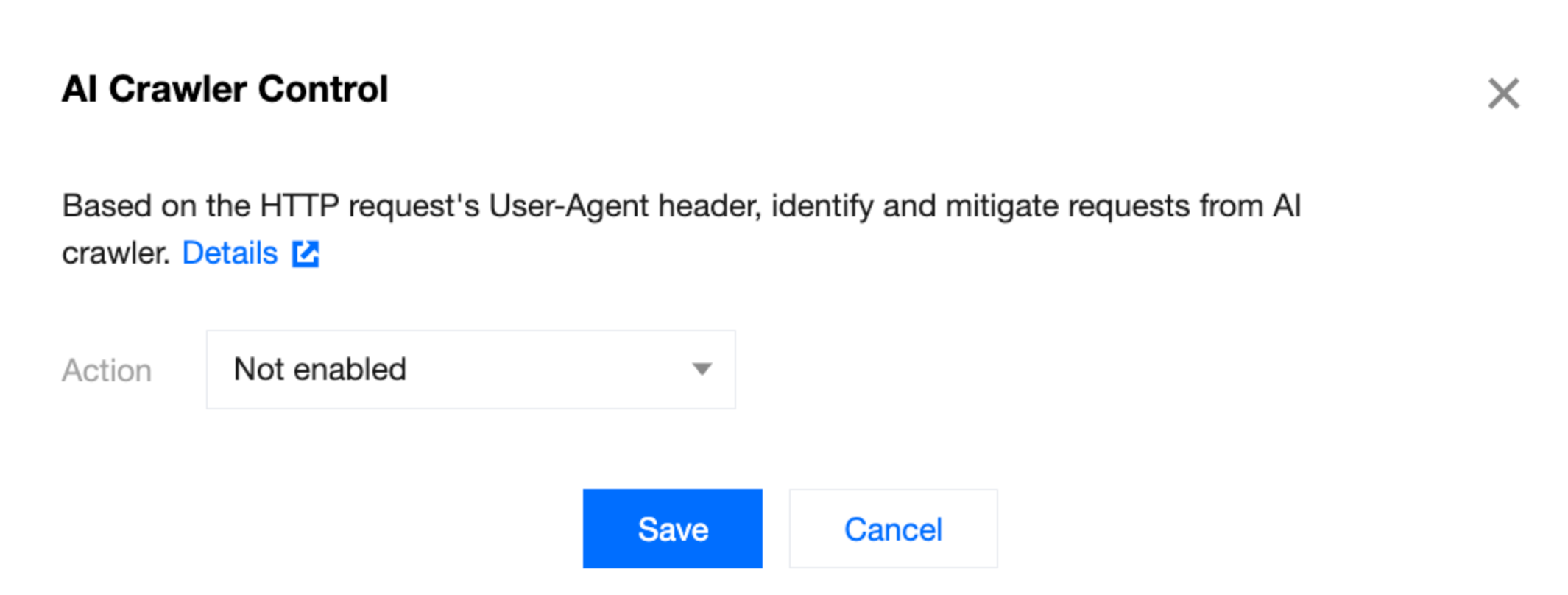
4. Click edit to configure the action for AI crawlers. The AI crawler control feature supports Observe, Block, Allow, JavaScript challenge, and Managed challenge. According to compatibility configuration, select the appropriate option. For details, see action.


5. Click Save to complete the configuration.
Note:
1. AI crawler control performs traffic analysis based on the User-Agent field of the request. If needed, subscribe to the Bot management feature to analyze and control requests based on behavioral analysis, IP portrait, request rate, and other intelligent analysis functions.
2. If normal traffic is misintercepted, configure the exception rule to restore the normal traffic.

Reference

1. When AI crawler control is enabled, EdgeOne will identify and control requests from the following crawlers.
Amazon Kendra(Amazon)
Anchor Browser(Anchor)
ClaudeBot(Anthropic-AI)
atlassian-bot(atlassian)
AwarioSmartBot(Awario)
bigsur.ai(Big Sur AI)
Cotoyogi(Cotoyogi)
Factset_spyderbot(Factset)
GoogleOther(Google)
Google-CloudVertexBot(Google)
Google NotebookLM(Google)
Google-Extended(Google)
pangu(Huawei)
Liner Bot(Liner Bot)
Meta-ExternalAgent(Meta)
Novellum AI Crawl(Novellum)
GPTBot(OpenAI)
ShapBot(Parallel)
PerplexityBot(Perplexity)
QualifiedBot(Qualified.com, Inc.)
WARDBot(WEBSPARK)